

Checking your paper
Check your paper before you submit
The Check tab lists what is still unfinished in your paper, from claims with no citation to empty sections, reference problems and length.
The Check tab lists what is still unfinished in your paper: claims with no citation, placeholders, empty sections, reference problems and length. Almost everything in it is worked out without AI, so it is free and unlimited on every plan.
Open Check
Click the Check tab in the panel on the right. Its title is Check my paper. On your phone, tap ⋯ and then Check my paper.
The top line says how many things are left, like “4 things to look at”, or “Nothing outstanding”. Use the buttons under it to see All, or one area: Assignment, Sources, Writing or History.
Click any row to jump to that spot in your paper.
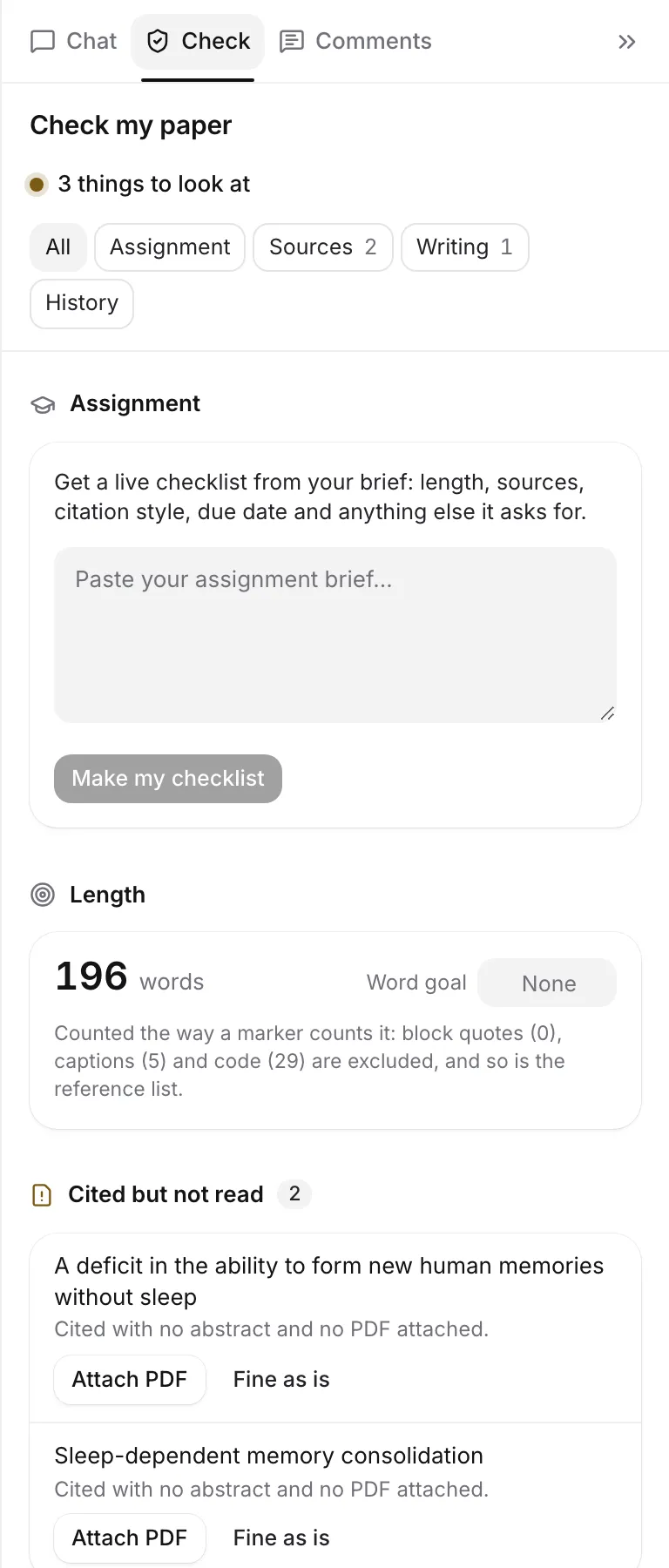
Assignment and length
If you have read your assignment brief, Assignment shows a live checklist of what it asks for. See Read your assignment brief.
If your brief sets no length, a Length card shows your word count and a Word goal box. With a goal set, it tells you “Exactly on target.”, how many words are left to go, or how many over you are, and whether that is “within the usual 10% tolerance”.
Check counts the way a marker counts: block quotes, captions and code are left out, and so is the reference list. That’s why it can differ from the count in the status bar. See Word count and word goal.
Sources
- Claims without a citation: sentences that read like a claim needing evidence, such as one with a number, a percentage, or words like “studies show” or “according to”, in a paragraph with no citation. They are underlined in your paper while Check is open. Find a source opens Cite on that sentence. See Find sources for a sentence.
- Citations with no source: a citation that points at something no longer in your library.
- Cited but not read: a journal article, book or similar that you cited with no PDF attached. Attach PDF opens the source so you can add it.
- Weak citations: citations that only partly back their sentence, found by Cite or by the Claims review. Check claims against sources runs the Claims review. On flagged rows you can Find a source or Remove citation.
- References: how each cited source compares with its published record, including retracted papers and “Preprint: not peer reviewed yet”. Minor notes (like an old or rarely cited source) are listed quietly and not counted. See Check your references.
If your paper has a typed reference list, a card offers to turn its citations into live ones. See Turn typed citations into live ones.
Writing
- Unresolved placeholders: citations still marked [citation needed]. Find a source opens the Citation finder to replace it.
- Sections not written: a heading with nothing under it yet.
- Images without a description: images with no alt text. Go to image takes you there, so you can add it from the image’s toolbar.
- Highlighted passages: text still highlighted. Exports and published pages keep highlights, so Remove all highlights takes them all off in one step, with Undo.
- Open comments: comments nobody has resolved yet. Open shows them.
Mark something fine as is
Not every row is a real problem. A sentence may only sound like a claim, or you may have read a source in print. Click Fine as is to stop it counting. It moves to Marked fine as is at the end of the list, where Put back brings it back.
Placeholders and citations with no source can’t be marked fine as is, because they are mistakes in the paper.
More checks
Under More checks are the AI reviews:
- Proofread, Claims and Tone. See Proofread and review your paper.
- Peer review. See Get an AI peer review.
These use your AI allowances. Each row says when it last ran. If your AI rules don’t allow a review, it is greyed out.
History
History shows where your text came from, when you worked, and your AI use statement. See See your writing history.
What it costs
Everything in the list above is worked out from your paper itself, without AI. It costs nothing on any plan. Only More checks (document reviews and peer reviews) and Find a source on a claim (AI citation searches) use AI allowances. See AI allowances and limits.
Frequently asked questions
Why is the word count in Check different from the status bar?
Check counts the way a marker does: it leaves out block quotes, captions, code and the reference list. The status bar counts headings, tables, quotes and in-text citations.
Does Check use my AI allowance?
No. Everything in the list is worked out from your paper without AI, on every plan. Only More checks and Find a source use AI.
What does Fine as is do?
It marks a row as not a problem, so it stops counting. It moves to Marked fine as is at the end of the list, where Put back brings it back.
Was this page helpful?
Thanks for letting us know.