

Account and billing
Change your name, picture and email
Update the name and picture people see, add a second email address, and choose which address is your main one.
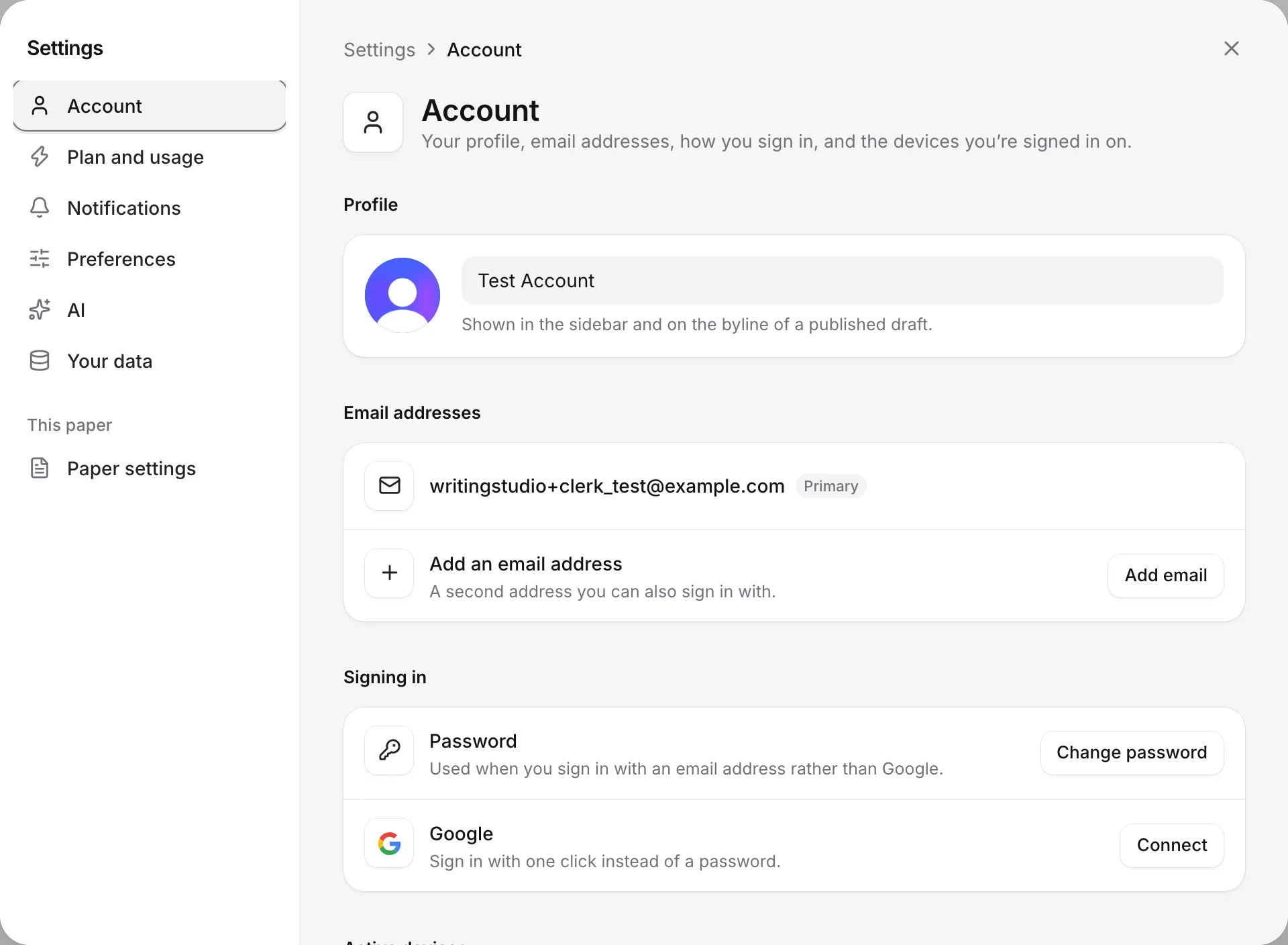
To change your name, picture or email addresses, click your name at the top of the sidebar, choose Settings, and go to Account.
Change your name
Click the Your name box under Profile, type your name, and click anywhere else. It saves as soon as you leave the box.
Your name is shown in the sidebar and on the byline of a paper you publish on the web. People you share papers with see it on your comments and in Share.
Change your picture
- Under Profile, click your round picture (Change your picture).
- Choose an image. PNG, JPEG and WebP files work.
To go back to your initial, click the bin button (Remove your picture).
Add another email address
You can add more than one email address to your account and sign in with any of them. This is useful when papers are shared with your university address but you signed up with another one.
- Under Email addresses, click Add email.
- Type the address and click Send code. Writing Studio sends a six-digit code to confirm it’s yours.
- Type the code from that email and click Verify.
If you see “That code was not accepted.”, check the latest email and type the code again.
Choose your primary email address
Your Primary address is your main one. To change it, click Make primary next to another address. Only confirmed addresses can be primary. An address that still needs its code shows Unverified.
Remove an email address
Click Remove next to the address. You can only remove an address when your account has more than one.
You can no longer sign in with an address you remove. If someone invites you to a paper later, ask them to use an address that’s still on your account. See Work on a paper shared with you.
Change how you sign in
Passwords, Google sign-in and the devices you’re signed in on are in the same place, under Signing in and Active devices. See Manage your password and sign-in.
Frequently asked questions
Where does my name appear?
In the sidebar, on comments, in the Share dialog, and on the byline of any paper you publish on the web.
Why would I add a second email address?
You can sign in with either address, and papers shared with either one open for you. It helps if someone invites your university email but you signed up with a personal one.
Why can't I make my new address primary?
Only confirmed addresses can be primary. Finish confirming it with the six-digit code first. An address that still shows Unverified needs the code.
Was this page helpful?
Thanks for letting us know.