

Account and billing
Use your own AI key
Connect your own Claude, ChatGPT, Gemini or Grok API key so AI features stop using your plan's allowances.
You can connect your own API key from Anthropic (Claude), OpenAI (ChatGPT), Google (Gemini) or xAI (Grok). Writing Studio then runs your AI features on your key, and they stop using your plan’s allowances.
What your own key changes
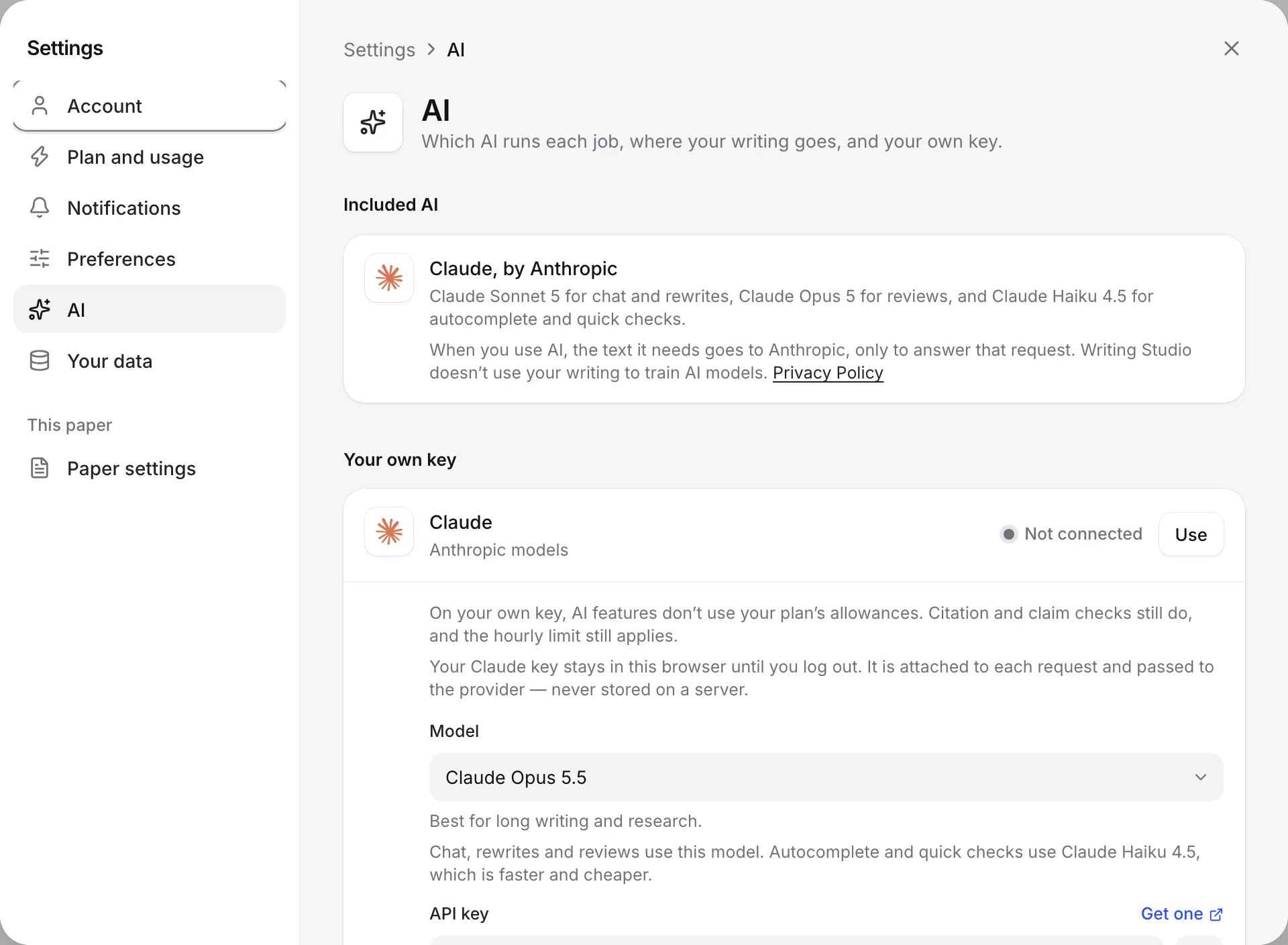
On your own key, AI features don’t use your plan’s allowances. Citation and claim checks still do, and the hourly limit still applies.
| On your own key | |
|---|---|
| AI autocompletes, AI edits, AI chat messages, AI citation searches | Not counted |
| Document reviews (Proofread, Claims, Tone) | Not counted |
| Peer reviews and literature reviews | Not counted, and available even on Free |
| Citation checks | Still counted |
| Claim check in the Citation checker (Also check the claims) | Still counted, as a document review |
| Hourly limit | Still applies, at 600 AI requests an hour |
Citation and claim checks always run on the included Claude, through Anthropic, whichever key you use. That’s why they still count.
You still need to be signed in to use AI features, even with your own key.
Add your key
- Click your name at the top of the sidebar, choose Settings, then go to AI.
- Under Your own key, click Use next to the provider you have a key for: Claude, ChatGPT, Gemini or Grok.
- Pick a Model. Chat, rewrites and reviews use this model. Autocomplete and quick checks use a faster, cheaper model from the same provider.
- Paste your key into API key. If you don’t have one yet, click Get one to go to the provider’s site.
- Click Save and test.
Writing Studio tries your key. If it works, you see “Working. Writing Studio is using” followed by the model’s name, and the provider shows Connected and Selected. If the test fails, nothing is saved, and any key you had before stays as it was.
You can use one provider’s key at a time. To switch, click Use next to another provider and save its key.
For where to get a key from each company, see AI providers.
Fix a key that won’t save
- “Paste your [provider] key first.”: the key box is empty.
- “That’s a [provider] key. Use it under [provider], or paste a [other provider] key here.”: you pasted a key from a different company. Click Use next to the right provider.
- “That doesn’t look like a [provider] key.”: the key doesn’t start the way that company’s keys do. Copy it again from the provider’s site, and check you got the whole key.
Click the eye button (Show key) to see what you pasted.
If your key stops working
If a request on your key fails, for example because the key was revoked or your account with the provider ran out of credit, you see “Your [provider] key didn’t work.” with two buttons:
- Use my plan’s AI instead switches back to the included AI, using your plan’s allowances.
- Key settings opens Settings at AI, so you can fix or replace the key.
Remove your key
Go to Settings, then AI, open the provider in use, and click Remove key. You see “Removed from this browser.” AI features go back to the included Claude and your plan’s allowances.
Logging out also removes your key from that browser.
Where your writing goes
With your own key, the text each AI request needs goes to that company, on your key, under your own agreement with them. Citation and claim checks still go to Anthropic through the included Claude.
Your key stays in this browser until you log out. It’s attached to each request and passed to the provider, never stored on a server, and it isn’t synced to your other devices. See Your data and privacy.
Frequently asked questions
Is my API key stored on Writing Studio's servers?
No. Your key stays in this browser until you log out. It is attached to each request and passed to the provider, never stored on a server.
Do I need to add my key again on another device?
Yes. Your key isn't synced to your account, so add it in each browser you use. Logging out also removes it from that browser.
Can I use my own key on the Free plan?
Yes. Every plan can use its own key. On Free, it also lets you run peer reviews and literature reviews, which the plan doesn't include.
Who pays for the AI when I use my own key?
You do, directly to the provider, under your own agreement with them. Writing Studio doesn't charge you for that use.
Was this page helpful?
Thanks for letting us know.