

Writing
Number figures and refer to them
Writing Studio numbers your figures and tables in your citation style, and keeps references like Figure 2 up to date.
Writing Studio numbers your figures and tables for you, in the order they appear, and labels them the way your citation style asks. You can also add a reference like “Figure 2” to your text, and it stays correct when figures move.
What counts as a figure
- Figures: images, charts and diagrams.
- Tables: tables.
Figures and tables are numbered separately, so you can have a Figure 1 and a Table 1.
How labels look in each style
The label goes at the start of the caption. Its wording and place follow your citation style:
| Style | Figures | Tables |
|---|---|---|
| APA | “Figure 1”, above the figure | “Table 1”, above the table |
| MLA | “Fig. 1.”, below the figure | “Table 1”, above the table |
| IEEE | “Fig. 1.”, below the figure | “TABLE I”, above the table |
| Other styles | “Figure 1.”, below the figure | “Table 1.”, above the table |
When you change the citation style, every label changes with it.
Turn numbering on or off
Numbering is on by default for the whole paper. To turn it off or back on, use the Number figures and tables switch in any of these places:
- Paper settings, under Citations
- An image’s More menu
- A table’s, chart’s or diagram’s Block actions menu
Refer to a figure or table
Instead of typing “see Figure 2” by hand, insert a reference. It renumbers itself if figures are added, moved or deleted.
- Put your cursor where the reference should go, for example after “as shown in”.
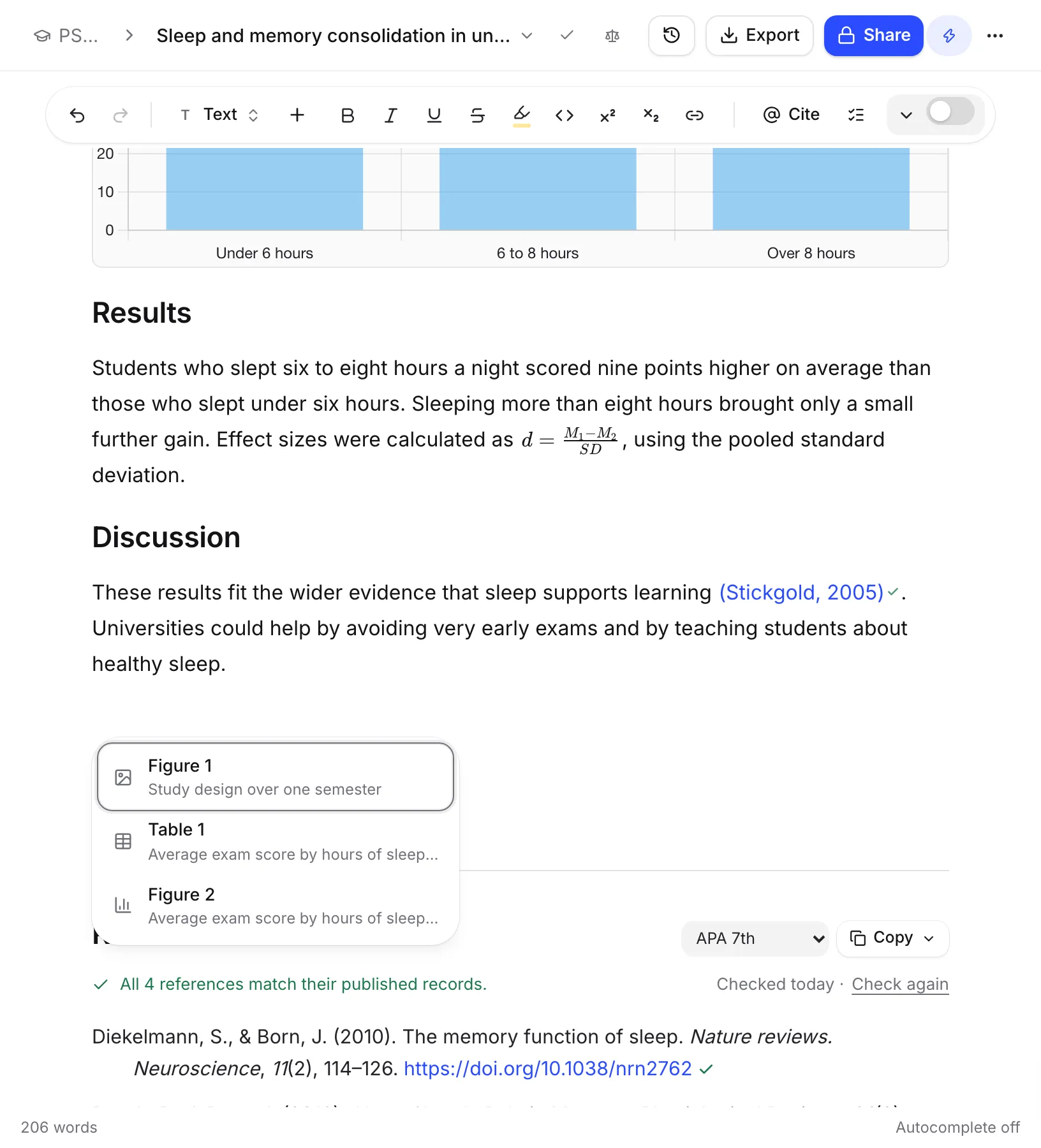
- Type /figure and choose Figure or table reference.
- Pick the figure or table from the list. Each one shows its label and caption.
Writing Studio adds “Figure 2”, “Table 1” or the label your style uses. Click the reference later to jump to its figure.
If there’s nothing to refer to yet, you’ll see “There are no figures or tables in this paper yet. Add an image, chart, diagram or table first.”
Fix a broken reference
If you delete a figure that a reference points to, the reference is marked with “The figure this points to is no longer in the paper.” Click it to choose another figure, or choose Remove reference.
If you type over a reference, it turns into plain text and stops updating.
Frequently asked questions
What happens to my references if I move a figure?
Every figure and table renumbers in order, and every reference to them updates to match. You never have to fix Figure 3 by hand.
Can I turn off figure numbers?
Yes. Turn off Number figures and tables in Paper settings, in an image's More menu or in a table's Block actions menu. It applies to the whole paper.
Why does my figure label say Fig. 1. instead of Figure 1?
Labels follow your citation style. MLA and IEEE use Fig. 1. under the image, APA uses Figure 1 above it, and most other styles use Figure 1. under it. Change the style and the labels change with it.
Was this page helpful?
Thanks for letting us know.