

Checking your paper
Go through suggestions one by one
Review mode steps through every review suggestion in your paper, one at a time, so you can accept or dismiss each with a single key.
Review mode takes you through every suggestion from a review, one at a time. Accept or dismiss each with a single key, without hunting through the panel.
Start review mode
- Run a Proofread, Claims or Tone review. See Proofread and review your paper.
- In the Review tab, click Review with the number of changes and “one by one”.
Your paper jumps to the first suggestion, and the review bar appears.
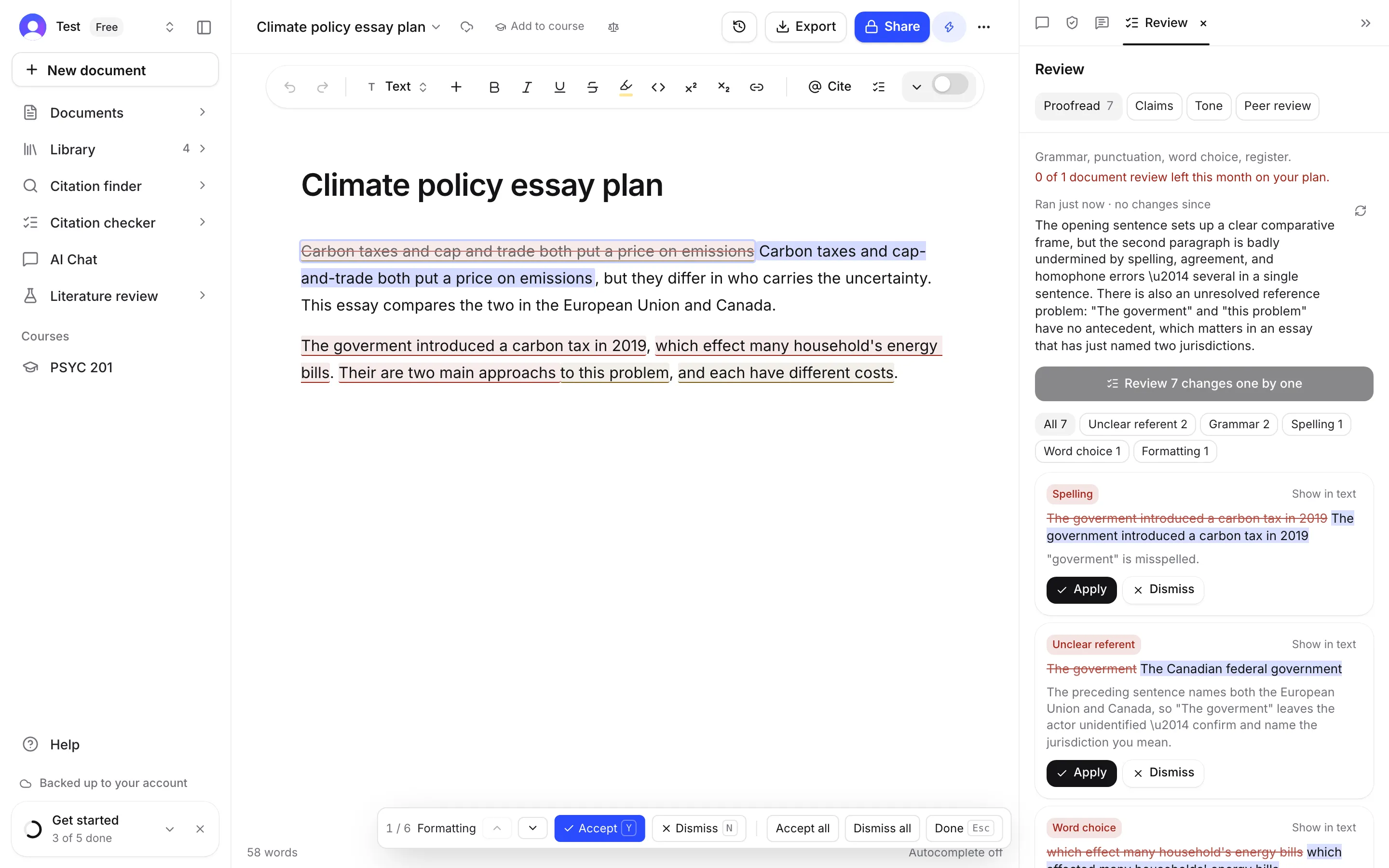
Use the review bar
The bar shows:
- where you are, like “3 / 12”
- the category of the current suggestion
- Previous (↑) and Next (↓)
- Accept (Y), or Mark done for advice that has no wording to swap in
- Dismiss (N)
- Accept all and Dismiss all
- Done (Esc), to leave review mode
Keyboard keys
| Key | What it does |
|---|---|
| Y | Accept the suggestion (or mark it done) |
| N | Dismiss the suggestion |
| ↓ | Go to the next suggestion |
| ↑ | Go to the previous suggestion |
| Esc | Leave review mode |
Y and N are plain keys, without ⌘ or Ctrl. They are ignored while you are typing in a box.
Accept or dismiss everything at once
Accept all applies every suggestion that’s left and leaves review mode. Dismiss all clears them all without changing your paper, and leaves review mode.
Accepted changes are normal edits, so you can undo them with ⌘Z (Ctrl+Z on Windows) after you leave.
While review mode is on
- Your paper is locked, so accepting a suggestion can’t be confused with typing over it.
- Find and replace is turned off.
- Click Done or press Esc to go back to writing. Anything you haven’t dealt with stays in the Review tab.
Frequently asked questions
Why can't I type in my paper during review mode?
Your paper is locked while review mode is on, so accepting a suggestion can't be mixed up with typing over it. Click Done or press Esc to edit again.
What does Mark done mean?
Some suggestions are advice with no wording to swap in. Mark done tells Writing Studio you have dealt with it.
Can I stop halfway and come back later?
Yes. Click Done. The suggestions you haven't dealt with stay in the Review tab, kept with your paper.
Was this page helpful?
Thanks for letting us know.