

Citations
Find sources for a sentence
Highlight a sentence and Writing Studio searches academic databases, reads the papers and shows the ones that back it up, with the passage.
Highlight a sentence and choose Cite. Writing Studio searches academic databases, reads the papers, checks each one against your sentence, and shows the ones that support it, with the passage that does.
Find sources for a highlighted sentence
- Highlight the sentence you want to back up (at least 15 characters).
- Choose Cite in the bar that appears above your selection, or press ⌘⇧C (Ctrl+Shift+C on Windows).
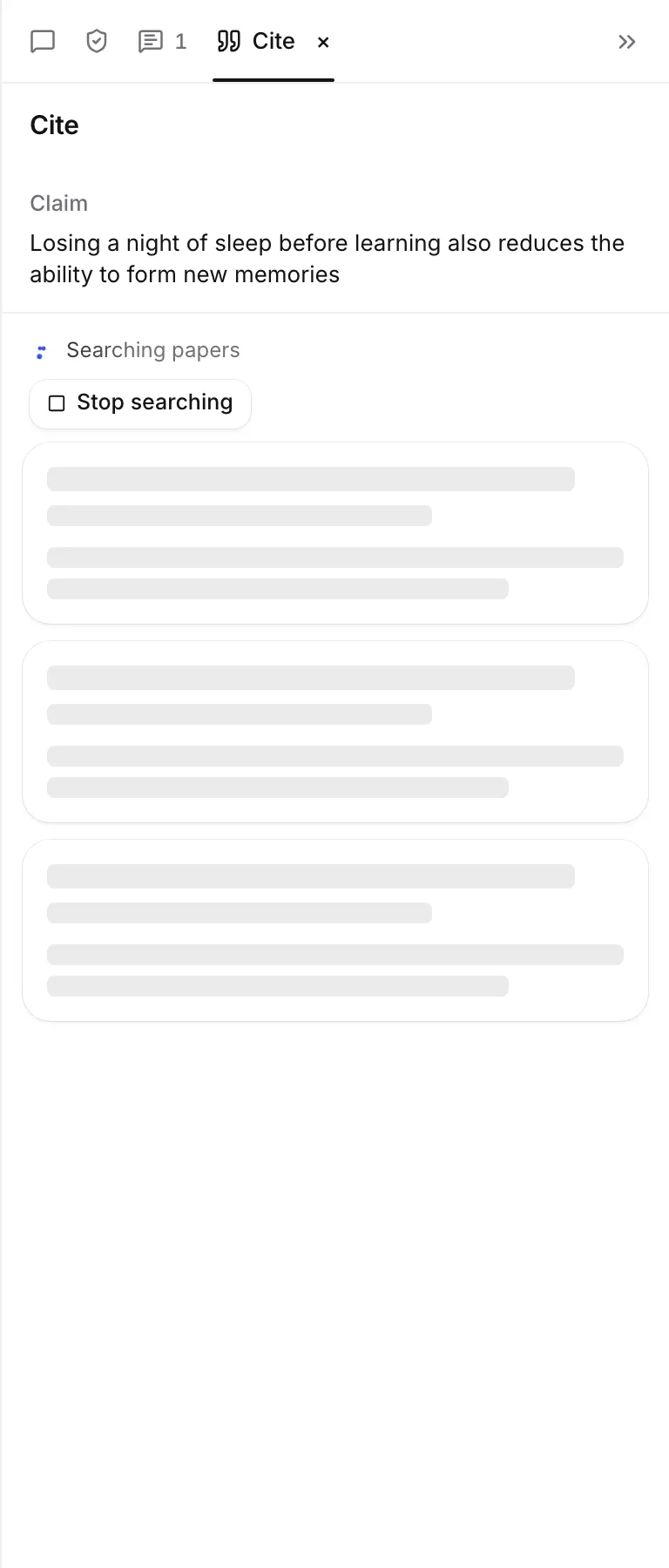
- The Cite tab opens beside your paper, with your sentence at the top under Claim.
- Wait while it shows “Searching papers”, then “Verifying claims” as it checks each paper.
- Choose Insert citation on the source you want. It changes to Inserted.
The citation goes right after the text you highlighted, and the source is saved to your library and added to your reference list.
You can also type @ with nothing in the search box, or type a sentence that makes a claim. The Citation finder then offers Find sources that back this up, which opens the same Cite tab.
What it searches
It searches Semantic Scholar, OpenAlex, PubMed, Europe PMC, arXiv, Unpaywall and the web. If one of them doesn’t answer, a note says so, and the search carries on with the others.
Results arrive best first. Each card shows the passage from the paper that relates to your sentence, and a label:
- Strong support: the paper says what your sentence says.
- Partial support: it backs up part of it.
- Related only: it is on the topic but doesn’t back up the claim.
- Contradicts: it says the opposite.
Sources already in your library are marked In your library.
Choose what to do with a result
- Insert citation cites the source in your sentence and saves it to your library.
- Save saves it to your library without citing it.
- View source shows the passage in context. Choose See it in the PDF or Open paper to read more, and Back to results to return.
If the passage reads “The exact sentence was not found word for word; this is the closest passage.”, read it before you cite.
Below the results, Show near misses lists papers that were checked but only cover part of your claim, or something next to it. They can still help you reword it.
Narrow the results
Once a search is running, filter buttons appear above the results:
- Journal articles only.
- A year limit, such as Last 5 years or Last 10 years.
- No preprints and a minimum number of citations, when the paper’s source rules set them.
After changing them, choose Search again with these filters.
The search starts from the paper’s Source rules in Paper settings.
How it counts toward your plan
Each search uses 1 AI citation search. The line at the bottom of the tab shows how many papers were checked and how many searches you have left.
| Plan | AI citation searches |
|---|---|
| Free | 5 a day |
| Plus | 300 a month |
| Pro | Unlimited |
Asking about the same sentence again in the same tab is free. On your own AI key, searches are not counted. When you run out, titles, DOIs and @ search still work, for free. See AI allowances and limits.
If the paper’s AI rules turn off finding and checking sources, this search is not available.
When nothing turns up
- “No papers found on this topic”: try broader words in your sentence.
- “Related papers checked, but none support this exact claim”: none says what you wrote. Soften the claim or look at the near misses.
- “Could not search for sources”: choose Retry.
Choose Stop searching at any time to keep the results so far.
Work through claims from Check my paper
Check my paper lists Claims without a citation. Choose Find a source on one to open it in the Cite tab. When you are done, choose Next claim without a source to move on, Skip to leave it, or Back to Check. See Check your paper before you submit.
Use the keyboard
- ↑ and ↓ move between results.
- Enter inserts the chosen result.
- Esc closes the tab.
Frequently asked questions
How many times can I find sources for a sentence?
Each search uses 1 AI citation search: 5 a day on Free, 300 a month on Plus, and unlimited on Pro. Asking the same thing again in the same tab is free, and with your own AI key these searches are not counted.
Is this the same as the Citation finder?
No. The Citation finder searches by title, keywords or ID, for free. Finding sources for a sentence uses AI to read papers and check each one against your exact sentence.
Why does it say no papers support my claim?
It checked related papers but none says what your sentence says. Try softening or rewording the claim, widen the filters, or open the near misses to see what the papers do say.
Was this page helpful?
Thanks for letting us know.