

Account and billing
Delete your work or your account
Delete all your documents and sources but keep your account, or delete your account completely. Cancel any paid plan first.
There are two options in Settings, under Your data:
- Delete everything removes all your documents, sources and PDFs, but keeps your account.
- Delete account removes your work and the account itself, with its sign-ins.
Neither can be undone.
Before you delete anything
- Cancel a paid plan. See Upgrade, change or cancel your plan. The Delete account row reminds you: “Cancel your Plus plan under Plan and usage first, so it can’t renew.” (or Pro).
- Download a copy. Click Export everything in the same section to get a zip of all your papers, references, comments and PDFs. See Download a copy of all your work.
Delete all your work but keep your account
- Click your name at the top of the sidebar, choose Settings, and go to Your data.
- Next to Delete everything, click the button.
- A dialog asks “Delete everything, everywhere?”. Type DELETE in the box.
- Click Delete everything.
This removes, from this browser and from your account’s backup:
- Every document you own, with everything attached to it, such as its comments. People you shared them with lose them too.
- Your access to papers other people shared with you.
- Your library: sources, kept quotes and uploaded PDFs and images.
- Your AI Chat conversations.
Your account, your profile and your plan stay. Comments you left on other people’s papers also stay.
If you see “Couldn’t delete everything. Nothing here was removed.”, check your connection and try again.
Delete your account
- Cancel any paid plan first (see above).
- Click your name at the top of the sidebar, choose Settings, and go to Your data.
- Next to Delete account, click the button.
- A dialog asks “Delete your account?”. Type DELETE in the box.
- Click Delete account.
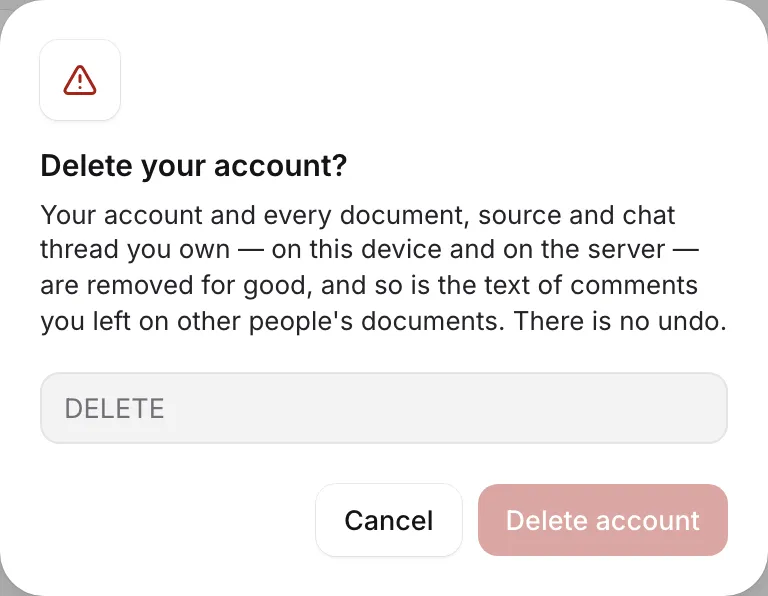
Your account and every document, source and chat conversation you own are removed for good, on this device and on the server. The text of comments you left on other people’s documents is removed too.
You then land on the sign-up page.
Delete just one paper
To delete a single paper instead, see Rename, duplicate, archive or delete a paper.
Frequently asked questions
Does deleting my account cancel my subscription?
Don't rely on it. Cancel your plan in Settings under Plan and usage first, so it can't renew. Any time left on the plan ends with the account.
Can I get my work back after deleting it?
No. Both Delete everything and Delete account have no undo. Download a copy with Export everything first if you might need anything.
What happens to papers I shared with other people?
They're deleted, and the people you shared them with lose them. Papers other people shared with you stay with their owners.
Was this page helpful?
Thanks for letting us know.