

Writing
Find and replace
Find words in your paper and replace them one at a time or all at once, without touching your citations.
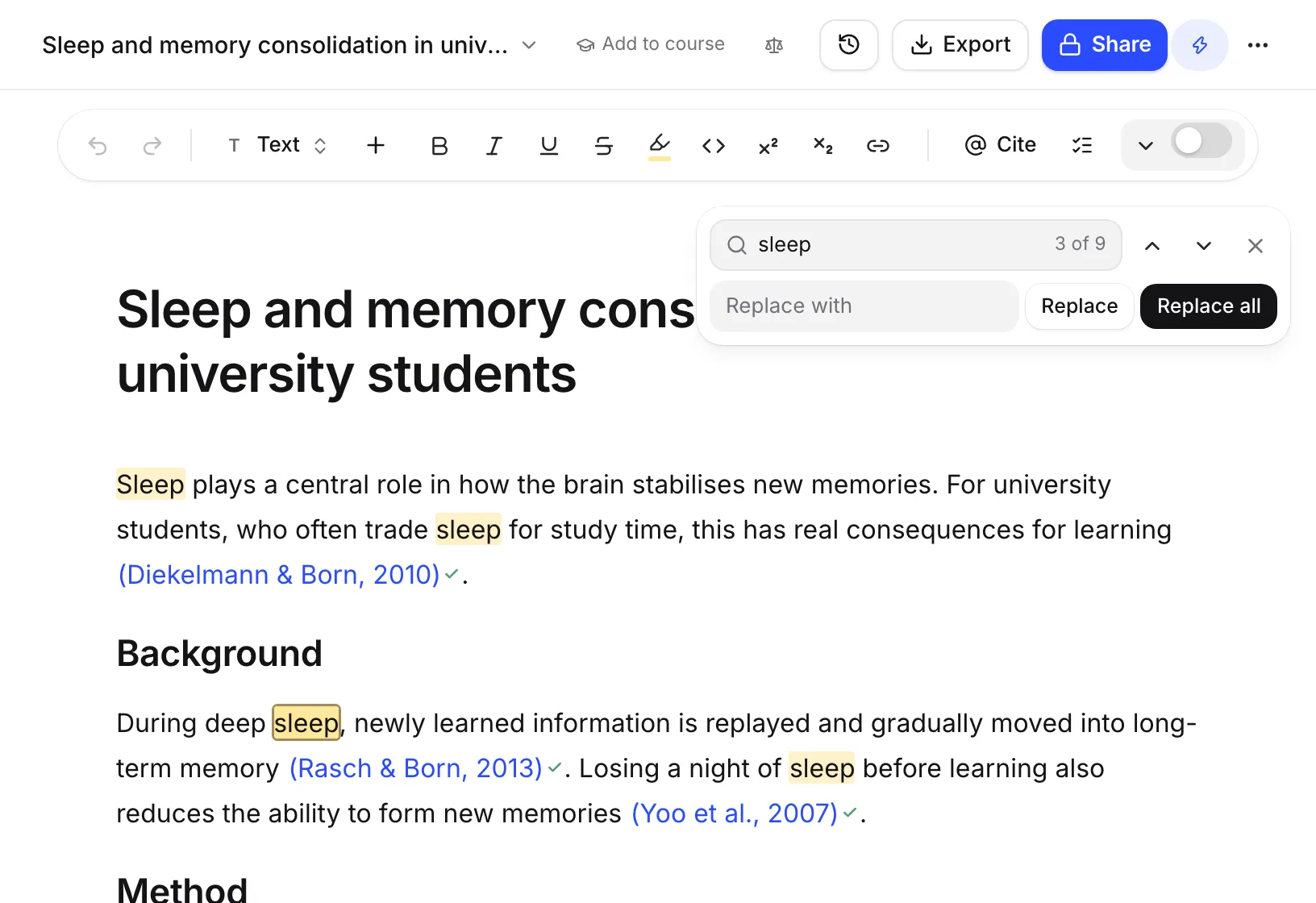
Press ⌘F (Ctrl+F on Windows) while you’re writing to open the find bar at the top of your paper. Type what you’re looking for, then replace one match or all of them.
Find a word or phrase
- Click in your paper and press ⌘F. If you had words selected, they’re already filled in.
- Type in the box that says “Find in your paper”. Every match is highlighted, and the bar shows where you are, like “3 of 12”.
- Press Enter to go to the next match, or ⇧Enter (Shift+Enter) for the previous one. You can also use the arrow buttons.
If there’s nothing to find, the bar says “No matches”.
Replace words
- Find the word as above.
- Type the new word in the Replace with box.
- Click Replace to change just the current match. Or click Replace all to change every match at once.
After Replace all, the bar says how many it changed, like “Replaced 12 matches”, with an Undo button. You can also press ⌘Z to undo.
To close the bar, click × or press Esc.
What find and replace skips
Find and replace is careful with the parts of your paper that come from your sources:
- It never changes citations or equations.
- It never touches your reference list.
- It ignores capital letters, so “theory” finds “Theory” too.
- Straight quotes match curly quotes, so you can type “ or ’ either way.
To correct an author’s name or a title in your references, edit the source instead. See Edit a source’s details.
When it isn’t available
Find and replace is paused while the AI chat is editing your paper (you’ll see “Chat is editing your paper”) and while you’re in review mode. It’s also not shown to people who can only view or comment on a shared paper.
Frequently asked questions
Is find and replace case-sensitive?
No. Searching for theory also finds Theory and THEORY. Straight quotes also match curly quotes, so you don't need to type them exactly.
Why didn't Replace all change a word in my reference list?
Find and replace never changes citations, equations or the reference list, because they are built from your sources. To change a source's details, edit the source in your library and every citation updates.
Can I use find and replace on my phone?
It opens with the ⌘F or Ctrl+F shortcut, so you need a keyboard. On a phone or tablet without one, there is no button for it.
Was this page helpful?
Thanks for letting us know.