

Integrations
AI providers
Writing Studio's AI runs on Claude from Anthropic, and you can connect your own key for Claude, ChatGPT, Gemini or Grok.
Writing Studio’s AI runs on Claude models from Anthropic, included in every plan. If you prefer, you can connect your own API key for Claude, ChatGPT, Gemini or Grok, and Writing Studio uses that provider instead.
The included AI
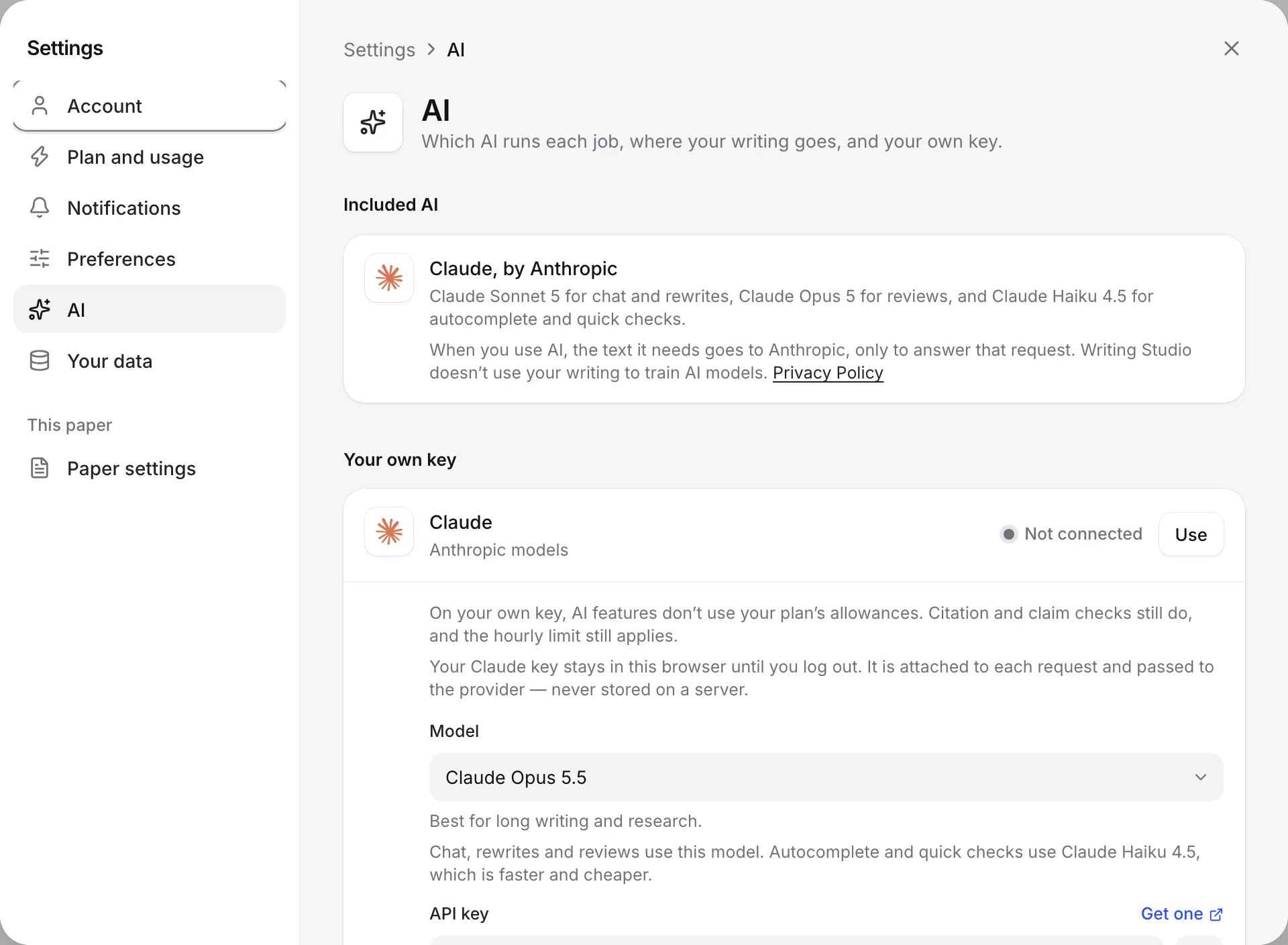
Every plan includes AI that runs on Claude, by Anthropic. You don’t need to set anything up. How much you can use depends on your plan’s AI allowances. See AI allowances and limits.
When you use an AI feature, the text it needs goes to Anthropic only to answer that request. Writing Studio doesn’t use your writing to train AI models. See Your data and privacy.
Providers you can connect with your own key
| In Writing Studio | Company | Where to get a key | Key starts with |
|---|---|---|---|
| Claude | Anthropic | console.anthropic.com | sk-ant- |
| ChatGPT | OpenAI | platform.openai.com | sk- |
| Gemini | aistudio.google.com | AIza | |
| Grok | xAI | console.x.ai | xai- |
Get an API key
Each provider gives keys from its developer site. The Get one link beside the key field in Writing Studio opens the right page. In short:
- Claude (Anthropic): sign in to the Anthropic Console, open API keys in your settings, and create a key.
- ChatGPT (OpenAI): sign in to the OpenAI platform site, open API keys, and create a new secret key.
- Gemini (Google): sign in to Google AI Studio and choose Get API key, then create a key.
- Grok (xAI): sign in to the xAI console, open API keys, and create a key.
Copy the key as soon as you create it, since some providers only show it once. Most providers also ask you to add a payment method or buy credit before a key works. What you use is billed by the provider, not by Writing Studio.
Connect your key
- Open your account menu at the top left of the sidebar and click Settings.
- Click AI.
- Under Your own key, click Use beside the provider you want.
- Choose a Model. It’s used for the chat, rewrites and reviews. Autocomplete and quick checks use the provider’s faster model.
- Paste your key into API key.
- Click Save and test.
When the test works, Writing Studio says “Working. Writing Studio is using” followed by the model’s name, and the provider shows Connected. See Use your own AI key for more.
What your own key changes
- AI features don’t use your plan’s allowances. You pay the provider for what you use instead.
- Peer reviews and literature reviews work on the Free plan when you use your own key.
- Citation and claim checks still count against your plan, and still run on the included Claude.
- The hourly limit is 600 AI requests an hour on your own key.
- Your key stays in this browser. It’s sent with each request and passed to the provider, but never stored on a server. It’s removed when you log out, and isn’t copied to your other devices.
- Your text goes to the provider you chose, under your own agreement with them.
If your key stops working
If a request fails because of your key, for example because it ran out of credit, Writing Studio shows a note such as “Your ChatGPT key didn’t work.” You can then:
- Click Use my plan’s AI instead to carry on with the included AI.
- Click Key settings to fix or replace the key.
When you save a key, Writing Studio also checks it’s the right kind. If you paste a key from a different provider, it tells you which provider the key belongs to.
What’s not supported
- Other AI providers. Only Claude, ChatGPT, Gemini and Grok can be connected.
- More than one key at a time.
- Reading images on other providers. Asking the chat about an image needs Claude.
- AI detection tools. A GPTZero connection isn’t available yet.
Frequently asked questions
Does my ChatGPT Plus or Claude Pro subscription work as a key?
No. Those chat subscriptions are separate from the API keys Writing Studio uses. You need an API key from the provider's developer site, which the provider bills separately.
Can I connect more than one key?
You can use one key at a time. Saving a key for another provider switches Writing Studio to that provider.
Do I still need to sign in if I use my own key?
Yes. AI features need you to be signed in, even on your own key.
Does my key work on my other devices?
No. Your key stays in the browser where you saved it, and is removed when you log out. Add it again on each device where you want to use it.
Was this page helpful?
Thanks for letting us know.