

Guides
Get your paper ready to submit
The last stretch before a deadline, in order: finish the content, run Check my paper, verify references, proofread, declare AI use if asked, then export.
The last day before a deadline goes badly when you do the right things in the wrong order: proofreading a section you then rewrite, or fixing a citation after you exported the file. This guide puts the final pass in the order that wastes the least work, using the sleep paper as the example. Each step says why it comes where it does.
If you have two or three days, start with the first step. If you have ten minutes, go straight to Check my paper, clear what it lists under Sources and Writing, then export.
Finish the content before you polish it
Polish is wasted on text you will still change. So before anything else, decide whether the argument is finished. Does each section do what your brief asked? Is there a section you know is thin?
If you are on Plus or Pro and have time, this is the moment for a peer review. It reads the paper like a journal reviewer and tells you what a reader would push back on, which only helps if you can still act on it. Revise from it, then move on. On Free, ask a classmate to comment instead. See Write a paper with other people.
Run Check my paper and work through it
Open the Check tab. It lists what is unfinished, and it is free on every plan. Work from the top, because the early items change the text and the later ones depend on it.
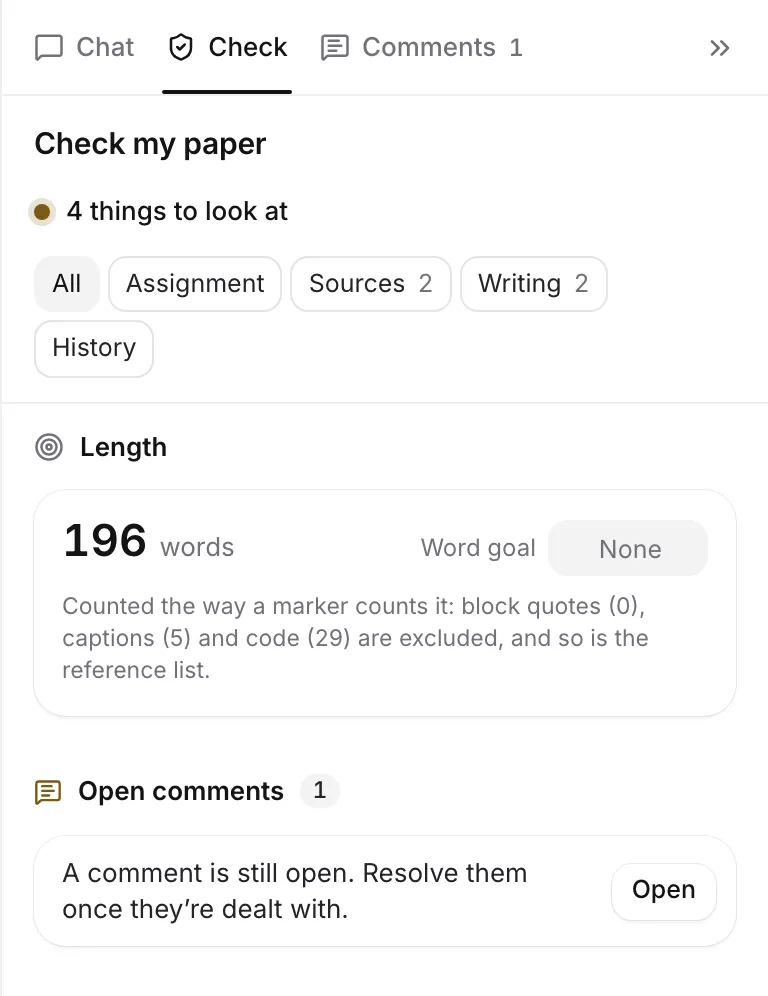
- Assignment. Compare the checklist with your brief: length, number of sources, the citation style, the due date. Tick off any requirement it lists that you have met. If you haven’t read your brief into the paper yet, do it now. See Read your assignment brief.
- Sources. Cite or rethink every claim listed under Claims without a citation. Fix any Citations with no source. For Cited but not read, attach the PDF or mark the row Fine as is if you read it in print. Check Weak citations too.
- Writing. Replace every [citation needed] placeholder, because an export leaves them out and the sentence goes out uncited. Write or delete empty sections. Add alt text to images. Resolve open comments.
That order is deliberate. Fixing a source or deleting a section changes your text, so it has to happen before you proofread. Everything in this list is worked out without AI, so you can run it as often as you like. See Check your paper before you submit.
Check your references
Still in Check, look at References. You want “All 4 references match their published records”, with the number of your own. Anything flagged is worth a minute: a retracted paper shouldn’t be cited as evidence, and a mismatched year or author is the kind of slip a marker notices. Check again looks them up fresh, and the Fix buttons in the reference list put right what they can. See Check your references.
If part of your reference list was typed or came in from a Word draft, Check offers Make citations live, which turns the typed citations into real ones so the whole list can be checked. For a list that never was in Writing Studio, the Citation checker in the sidebar checks it against the databases. See Turn typed citations into live ones.
Proofread last
Now run a Proofread from More checks. It reads the whole paper once, so it should read the text you are actually handing in. Work through the suggestions, applying the ones that are right and dismissing the rest. For a long list, Review with the number of changes and “one by one” steps through them with Y and N. See Go through suggestions one by one.
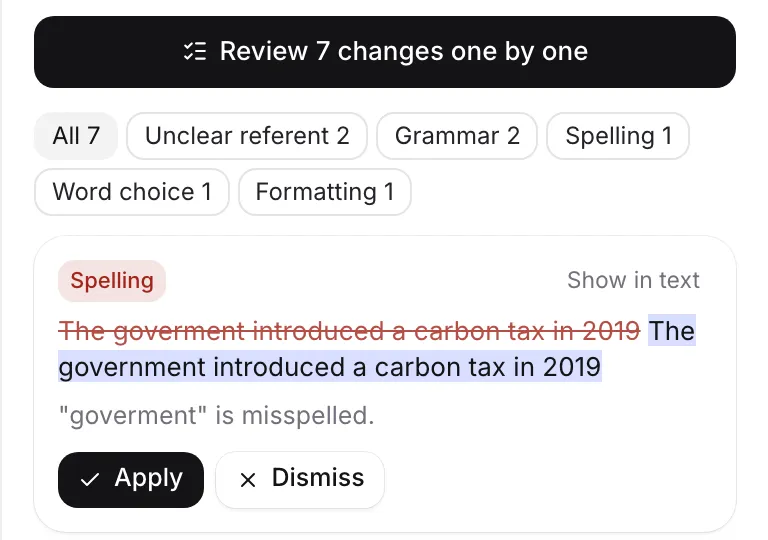
On Free you have one document review a month, so you have to choose. Proofread suits most essays. If your paper leans on cited findings and your marker cares that sources say what you claim, run Claims instead. On Plus you have ten a month and can run both. Reviews use your AI allowances, and each applied suggestion counts as AI text in your writing history, so keep your AI rules in mind.
Declare your AI use, if you are asked
If your course asks for an AI use statement, open History in Check and the AI use statement card. Read it against what you remember, edit it, and click Copy statement. See Write your AI use statement.
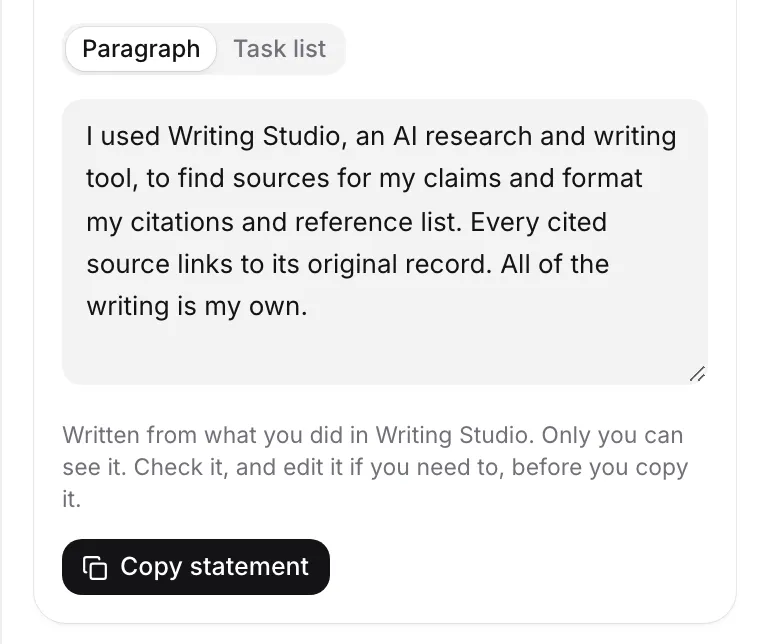
Writing Studio doesn’t add the statement to your paper for you. If your course wants it in the document, paste it in before you export. Two small things to expect: it adds to your word count, and text pasted from outside shows as pasted in your writing history. If your course wants it in a form field or on a separate page, copy it there instead.
You don’t need a writing receipt unless someone asks for one, but it is worth knowing where it is.
Export and check the file
Click Export. Before you download, read what the dialog says: how many references it includes, and any warning such as “1 reference needs a look”, “2 citation reminders will be left out” or “1 passage is still highlighted”. Review takes you to Check, and Remove all highlights clears them in one step. Highlights are kept in every format, so a leftover highlighted phrase would reach your marker.
For marking, choose the Double-spaced manuscript layout, and fill in the Assignment header if your course wants your name, instructor and course above the title. Pick Word if you want to adjust anything, or PDF for a fixed copy. Charts and diagrams go out as pictures, and comments are not included. See Export your paper.
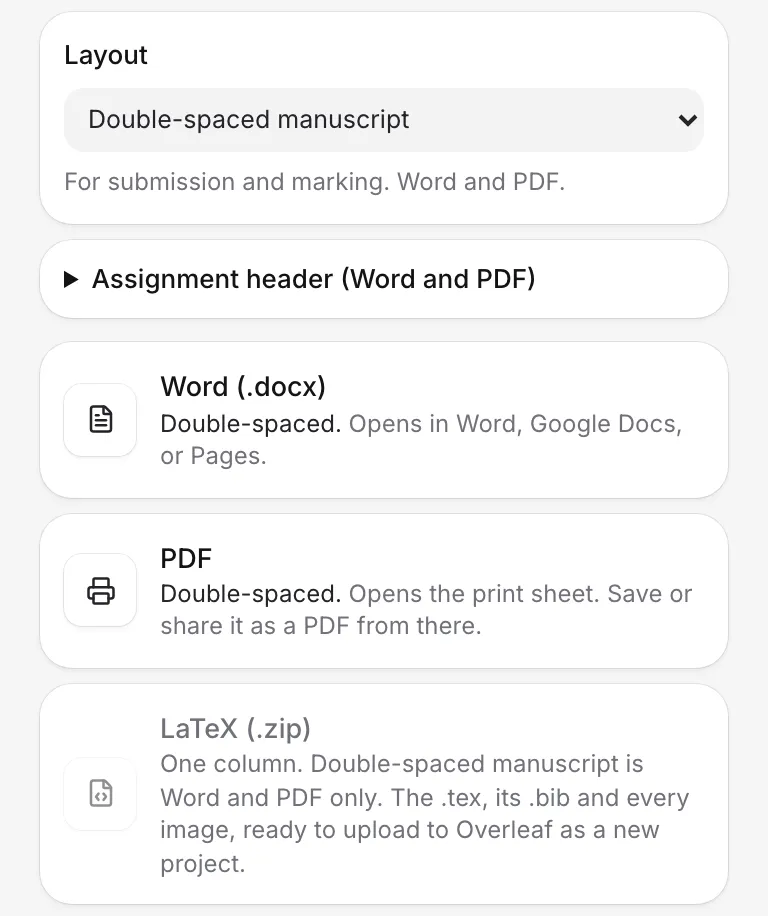
Then open the file you downloaded. It takes thirty seconds, and it is the one check nothing else can do for you: the page numbers, the reference list on its own page, the figures where you put them. A PDF made from the print sheet may leave out page numbers in some browsers, and Word has them.
After you submit
Nothing is locked. Each export saves a copy in Version history, labelled “Exported as Word” or “Exported as PDF”, so you can see exactly what you handed in and go back to it if you are asked.
Frequently asked questions
I only have ten minutes. What should I do?
Open Check my paper and clear the Sources and Writing lists, especially placeholders, claims without a citation and references that need a look. Then open Export, read what it says about references and highlights, and download the file.
Should I run a review on every draft?
No. Reviews use AI allowances, and Free includes one document review a month. Run one on the draft you mean to hand in, after you have stopped changing the text.
Can I change the paper after I export it?
Yes. Export doesn't lock anything. Writing Studio keeps a copy in Version history each time you export, so you can see exactly what you handed in.
Was this page helpful?
Thanks for letting us know.